
دبلوم شبكات الكمبيوتر
Launch your IT career with CompTIA A+, Network+, CCNA v2.0, Windows Server Hybrid Administrator, AI, network automation, MCP, and Python basics. Gain hands-on skills for today's enterprise IT environments.

إذا كنت تبحث عن برنامج تدريبي شامل ينقلك من الأساسيات إلى مستوى احترافي متقدم في مجال تقنية المعلومات، فهذه الدبلومة صُممت لتمنحك مسارًا متكاملًا يجمع بين الدعم الفني، الشبكات، الأنظمة، الذكاء الاصطناعي، الأتمتة، والبرمجة.
تجمع دبلومة AI-Powered IT Professional Masterclass بين مسارات معروفة عالميًا مثل CompTIA A+، وCompTIA Network+، وCCNA v2.0، وWindows Server Hybrid Administrator Associate، إلى جانب الذكاء الاصطناعي، وأتمتة الشبكات، وMCP، وPython Basics.
والنتيجة هي تجربة تعليمية متكاملة تبني لك أساسًا قويًا، وتمنحك مهارات عملية مرتبطة مباشرة باحتياجات سوق العمل، وتساعدك على تسريع مسارك المهني في وظائف البنية التحتية والدعم الفني والشبكات والعمليات الذكية.
لأن سوق العمل لم يعد يبحث فقط عن شخص يمتلك معرفة جزئية في مجال واحد، بل عن محترف يستطيع فهم الصورة الكاملة للبنية التحتية التقنية، من الأجهزة والشبكات والخوادم إلى السحابة والأتمتة والتحليلات الذكية.
صُممت هذه الدبلومة لتكون Your Complete IT Career Path، حيث تجمع بين الأساس التقني، والمختبرات العملية، والسيناريوهات الواقعية، وأسئلة الاختبارات والإجابات، والمهارات المستقبلية.
وهذا يعني أنك لا تدرس موضوعات منفصلة، بل تبني منظومة مهارات مترابطة تؤهلك للعمل بثقة والنمو مهنيًا في أكثر من اتجاه داخل مجال تقنية المعلومات.
يعتمد البرنامج على أسلوب تدريبي يجمع بين التأسيس الأكاديمي، الشرح العملي، والتطبيق المباشر، بحيث تنتقل تدريجيًا من فهم المفاهيم الأساسية إلى تنفيذها في بيئات قريبة من واقع العمل.
وخلال رحلتك التعليمية ستعمل على:
تم إعداد هذه الدبلومة لتمنحك أكثر من مجرد معرفة نظرية؛ فهي تبني لك أساسًا متينًا، وتضيف إليه مهارات حديثة مطلوبة مثل الأتمتة والذكاء الاصطناعي والبرمجة، بما يفتح أمامك أكثر من مسار مهني داخل قطاع التقنية.
سواء كنت تستهدف وظائف IT Support، أو Network Administration، أو System Administration، أو ترغب في بناء قاعدة قوية للانتقال إلى الأدوار المستقبلية، فهذه الدبلومة تمنحك نقطة انطلاق قوية وواضحة.
هذا الاشتراك فردي وخاص بالمشترك فقط، ويُمنع منعًا باتًا مشاركة اسم المستخدم أو كلمة المرور أو محتوى الدبلومة مع أي شخص آخر. كما أن ذلك غير جائز شرعًا، وغير مسموح به نظامًا، ويُعد تعديًا على الحقوق الفكرية والتعليمية. وأي مخالفة قد تؤدي إلى إيقاف الحساب أو سحب صلاحية الوصول إلى الدبلومة دون استرداد الرسوم.
إذا كنت تريد برنامجًا يجمع بين الأساس التقني، والمختبرات العملية، والشهادات المعروفة، والذكاء الاصطناعي، والأتمتة، فإن دبلومة AI-Powered IT Professional Masterclass تمنحك مسارًا متكاملًا لبناء مهاراتك، تعزيز فرصك المهنية، والانطلاق بثقة في عالم تقنية المعلومات.
نوفر لك أكثر من وسيلة دفع آمنة ومناسبة لإتمام التسجيل بكل سهولة. يمكنك اختيار الطريقة الأنسب لك من الخيارات التالية:
يمكنك الدفع بسهولة وأمان عبر PayPal باستخدام رصيد الحساب أو البطاقة المرتبطة به، وهي وسيلة مناسبة للدفع السريع والموثوق من مختلف الدول.
كما يمكنك التحويل عبر Western Union إذا كانت هذه الوسيلة الأنسب لك، وسنقوم بتزويدك بتفاصيل التحويل اللازمة عند التواصل.
للمزيد من المعلومات الرجاء التواصل على الواتساب التالي
1. Introduction to the World of IT
FREE PREVIEW2. Connectivity Part-1 (Video & PDF)
FREE PREVIEW3. Online-Discussion-Meeting-18-01-2024
4. Connectivity Part-2
5. Connectivity Part-3
6. Connectivity Part-4
7. On the Motherboard Part-1 (Video & PDF)
FREE PREVIEW8. On the Motherboard Part-2
9. On the Motherboard Part-3
10. On the Motherboard Part-4
11. Introduction to Configuration Part-1 (Video and PDF)
12. Introduction to Configuration Part-2
13. Disassembly and Power Part-1 (Video and PDF)
14. Disassembly and Power Part-2
15. Memory Part-1 (Video and PDF)
16. Memory Part-2
17. Storage Devices Part-1 (Video and PDF)
18. Storage Devices Part-2
19. Storage Devices Part-3
20. Storage Devices Part-4
21. Video and Multimedia Devices (Video and PDF)
22. Printers and Multifunction Devices (Video and PDF)
FREE PREVIEW23. Mobile Devices Part-1 (Video and PDF)
24. Mobile Devices Part-2
25. Mobile Devices Part-3
26. Mobile Devices Part-4
27. Computer Design and Troubleshooting Review Part-1 (Video and PDF)
28. Computer Design and Troubleshooting Review -Part 2
29. Computer Design and Troubleshooting Review -Part 3
30. Internet Connectivity, Virtualization, and Cloud Technologies Part-1 (Video and PDF)
31. Internet Connectivity, Virtualization, and Cloud Technologies Part-2
32. Internet Connectivity, Virtualization, and Cloud Technologies Part-3
33. Networking Part-1 (Video and PDF)
FREE PREVIEW34. Networking Part-2
35. Networking Part-3
36. Networking Part-4
37. Networking Part-5
38. Networking Part-6
39. Networking Part-7
40. Introduction to Operating Systems part-1 (Video and PDF)
FREE PREVIEW41. Introduction to Operating Systems part-2
42. Introduction to Scripting part-1 (Video and PDF)
43. Introduction to Scripting part-2
44. Advanced Windows part-1 (Video and PDF)
45. Advanced Windows part-2
46. Advanced Windows part-3
47. Advanced Windows part-4
48. Linux Operating System (Video and PDF)
49. Computer and Network Security Part-1 (Video and PDF)
50. Computer and Network Security Part-2
51. Operational Procedures (Video and PDF)
1. Comparing OSI Model Network Functions Part-1 (Video and PDF)
FREE PREVIEW2. Comparing OSI Model Network Functions Part-2
3. Comparing OSI Model Network Functions Part-3
4. Deploying Ethernet Cabling Part-1 (Video and PDF)
FREE PREVIEW5. Deploying Ethernet Cabling Part-2
6. Deploying Ethernet Cabling Part-3
7. Deploying Ethernet Cabling Part-4
8. Deploying Ethernet Switching Part-1 (Video and PDF)
9. Deploying Ethernet Switching Part-2
10. Deploying Ethernet Switching Part-3
11. Deploying Ethernet Switching Part-4
12. Deploying Ethernet Switching Part-5 (Console Cable)
13. Deploying Ethernet Switching Part-6
14. Deploying Ethernet Switching Part-7
15. IP Addressing Part-1 (Video and PDF)
16. IP Addressing Part-2
17. IP Addressing Part-3
18. ARP and ICMP (Video and PDF)
19. IPv6 Addressing (Video and PDF)
20. IPv4 and IPv6 Lab
FREE PREVIEW21. Configuring and Troubleshooting Routers Part-1 (Video and PDF)
FREE PREVIEW22. Configuring and Troubleshooting Routers Part-2
23. Configuring and Troubleshooting Routers Part-3
24. Network Topologies and Types Part-1 (Video and PDF)
25. Network Topologies and Types Part-2
26. Transport Layer Protocols Part-1 (Video and PDF)
27. Transport Layer Protocols Part-2
28. Transport Layer Protocols Part-3
29. Network Services Part-1 (Video and PDF)
30. Network Services Part-2
31. Network Services Part-3
32. Network Applications Part-1 (Video and PDF)
33. Network Applications Part-2
34. Network Applications Part-3
35. Ensuring Network Availability Part-1 (Video and PDF)
36. Ensuring Network Availability Part-2
37. Ensuring Network Availability Part-3
38. Ensuring Network Availability Part-4
39. Ensuring Network Availability Part-5
40. Common Security Concepts Part-1 (Video and PDF)
41. Common Security Concepts Part-2
42. Common Security Concepts Part-3
43. Supporting and Troubleshooting Secure Networks Part-1 (Video and PDF)
44. Supporting and Troubleshooting Secure Networks Part-2
45. Deploying and Troubleshooting Wireless Networks Part-1 (Video and PDF)
46. Deploying and Troubleshooting Wireless Networks Part-2
47. Deploying and Troubleshooting Wireless Networks Part-3
48. WAN Links and Remote Access Methods Part-1 (Video and PDF)
49. WAN Links and Remote Access Methods Part-2
50. Organizational and Physical Security Concepts -Part1 (Video and PDF)
51. Organizational and Physical Security Concepts -Part 2
52. Organizational and Physical Security Concepts Part-3
53. Disaster Recovery and High Availability (Video and PDF)
54. Network Hardening Techniques (Video and PDF)
55. Summarizing Cloud and Datacenter Architecture Part-1 (Video and PDF)
56. Summarizing Cloud and Datacenter Architecture Part-2
01. Introduction to CCNA v1.1 200-301 (Video and PDF)
FREE PREVIEW02. Introduction to TCPIP Networking
FREE PREVIEW03. Fundamentals of Ethernet LANs
FREE PREVIEW04. Fundamentals of WANs and IP Routing
05. Using the Command-Line Interface Part-1
06. Using the Command-Line Interface Part-2
07. Analyzing Ethernet LAN Switching
08. Configuring Basic Switch Management
09 Configuring and Verifying Switch Interfaces
10. Configuring and Verifying Switch Interfaces -Lab
11. Implementing Ethernet Virtual LANs Part-1
12. Implementing Ethernet Virtual LANs Part-2
13. Implementing Ethernet Virtual LANs Part-3
14. Spanning Tree Protocol Concepts Part-1
15. Spanning Tree Protocol Concepts Part-2
16. Spanning Tree Protocol Concepts Part-3
17. Spanning Tree Protocol Concepts Part-4
18. Spanning Tree Protocol Concepts Part-5
19. Spanning Tree Protocol Concepts Part-6
20. Layer 2 EtherChannel
21. EtherChannel Load Distribution
22. IPv4 Addressing Part-1
23. IPv4 Addressing Part-2
24. IPv4 Addressing Part-3
25. IPv4 Addressing Part-4
26. VLSM
27. IPv4 Addressing Part-5
28. Operating Cisco Routers Part-1
29. Operating Cisco Routers Part-2
30. Operating Cisco Routers Part-3
31. Operating Cisco Routers Part-4
32. IPv4 Routing and Static Route
33. Static Route Lab
34. IP Routing in the LAN
35. Layer 3 EtherChannel
36. Dynamic Host Configuration Protocol (DHCP)
37. DHCP Relay Agent
38. Understanding OSPF Concepts
39. Basic OSPF Configuration
40. Implementing Basic OSPF
41. Implementing Optional OSPF Features
42. OSPF Neighbors and Route Selection
43. IP Version 6 Part-1
44. IP version 6 Part-2
45. IP version 6 Part-3
46. IP version 6 Part-4
47. Fundamentals of Wireless Networks
48. Cisco Wireless Architectures
49. Cisco AP Modes
50. Securing Wireless Networks
51. Building a Wireless LAN part-1
52. Building a Wireless LAN part-2
53. Building a Wireless LAN part-3
54. Building a Wireless LAN part-4
55. Basic IPv4 Access Control Lists
56. Numbered and Named Extended IP ACLs Part-1
57. Numbered and Named Extended IP ACLs Part-2
58. Security Architectures
59. Securing Network Devices
60. Implementing Switch Port Security
61. DHCP Snooping and ARP Inspection
62. Device Management Protocols part-1
63. Device Management Protocols part-2
64. Device Management Protocols part-3
65. Device Management Protocols part-4
66. Network Address Translation (NAT)
67. Quality of Service (QoS) part-1
68. Quality of Service (QoS) part-2
69. Quality of Service (QoS) part-3
70. First Hop Redundancy Protocols part-1
71. First Hop Redundancy Protocols part-2
72. First Hop Redundancy Protocols part-3
73. Simple Network Management Protocol (SNMP)
74. SNMP (Real Lab)
75. FTP Protocol
76. Backup and Restore Cisco IOS Using TFTP Protocol
77. Real Lab - Backup and Restore Cisco IOS Using TFTP Protocol
78. LAN Architecture Part-1
79. LAN Architecture Part-2
80. WAN Architecture - Metro Ethernet
81. WAN Architecture - MPLS VPNs
82. WAN Architecture - Internet Access Methods
83. WAN Architecture - Internet VPNs
84. Cloud Architecture Part-1
85. Cloud Architecture Part-2
86. Cloud Architecture Part-3
87. Cloud Architecture Part-4
88. Cloud Architecture Part-5
89. Cloud Architecture Part-6
90. Cloud Architecture Part-7
91. Cloud Architecture Part-8
01. Introduction to Microsoft and Server Operating Systems
02. Installing, Upgrading, and Migrating Windows Server 2016 Part-1
03. Installing, Upgrading, and Migrating Windows Server 2016 Part-2
04. Installing, Upgrading, and Migrating Windows Server 2016 Part-3
05. Installing, Upgrading, and Migrating Windows Server 2016 Part-4
06. Installing, Upgrading, and Migrating Windows Server 2016 Part-5
07. Installing, Upgrading, and Migrating Windows Server 2016 Part-6
08. Installing, Upgrading, and Migrating Windows Server 2016 Part-7
09. Implement storage solutions Part-1
10. Implement storage solutions Part-2
11. Implement storage solutions Part-3
12. Implement storage solutions Part-4
13. Implement storage solutions Part-5
14. Implement storage solutions Part-6
15. Implement storage solutions Part-7
16. Implement storage solutions Part-8
17. Implement storage solutions Part-9
18. Implement Hyper-V Part-1
19. Implement Hyper-V Part-2
20. Implement Windows containers Part-1
21. Implement Windows containers Part-2
22. Implement Windows containers Part-3
23. Implement Windows containers Part-4
24. Implement Windows containers Part-5
25. Implement Windows containers Part-6
26. Implement high availability Part-1
27. Implement high availability Part-2
28. Implement high availability Part-3
29. Implement high availability Part-4
30. Implement high availability Part-5
31. Implement high availability Part-6
32. Implement high availability Part-7
33. Implement high availability Part-8
34. Implement Windows Server Update Services (WSUS) Part-1
35. Implement Windows Server Update Services (WSUS) Part-2
36. FastMCP Server
FREE PREVIEW37. Name Resolution
38. Implement Domain Name System Part-1
Course description
FREE PREVIEW✨ 01-Introduction
FREE PREVIEWIntro-part1
FREE PREVIEWIntro-part2
FREE PREVIEWIntro-part3
FREE PREVIEWIntro-part4
FREE PREVIEW✨ 02-Artificial_Intelligence
02-01-Learning Goals
02-02-Artificial Intelligence (AI)
02-03-AI Model
02-04-How AI Models Work
02-05-Types of AI Models
02-06-Generative AI Models
02-07-Large Language Model (LLM)
02-08-Prompt
02-09-Tool
02-10-Structured Model Outputs
02-11-AI Assistant
02-12-AI Agent
✨ 03-Network Automation
03-01-Learning Goals
03-02-Traditional Networking
03-03-Network Automation
03-04-AI-Driven Network Automation
03-05-AI Assistant in Network Automation
03-06-AI Agent in Network Automation
03-07-MCP in Network Automation
03-08-Real-World Scenario
03-09-Putting It All Together
✨ 04-Python Basics
04-01-Learning Goals
04-02-What is a Programming Language
04-03-Types of Programming Languages
04-04-What is Python
04-05-Python Versions
04-06-Recommended Modern Approach for Learning Python
04-07-Installing Python 3.14.6 On Windows 10
04-08-Integrated Development and Learning Environment (IDLE)
04-09-AI-assisted Code Editors
04-10-Installing VS Code on Windows 10
04-11-Installing Trae IDE on Windows 10
04-12-Installing the Python Extension
04-13-Adjusting Workspace Settings
04-14-Creating and Running Your First Python Program
04-15-Learning Python with Jupyter Notebooks
04-16-Installing the Jupyter Extension
04-17-Python Syntax and Indentation
04-18-Comments
04-19-variables
04-20-Objects
04-21-Basic and Collection Data Types
04-22-Integer (int)
04-23-Float (float)
04-24-Booleans (True and False)
04-25-None Keyword
04-26-String (str)
04-27-String Formatting with F-Strings
04-28-Getting User Input with input()
04-29-Type Conversion
Quiz -1

إليك مجموعة من أهم الأسئلة الشائعة حول دبلومة AI-Powered IT Professional Masterclass، لمساعدتك على تكوين صورة واضحة عن محتوى البرنامج، الفئة المستهدفة، وطريقة الاستفادة منه في بناء مسارك المهني.
نعم، الدبلومة مناسبة للمبتدئين الراغبين في دخول مجال تقنية المعلومات عبر مسار تدريبي متكامل، كما أنها مفيدة أيضًا لمن يعملون بالفعل في الدعم الفني أو الشبكات ويريدون توسيع خبراتهم في الأنظمة والأتمتة والذكاء الاصطناعي.
نعم، تم تصميم البرنامج ليبني لك أساسًا قويًا يدعم الاستعداد لمسارات وشهادات مهنية معروفة مثل CompTIA A+، CompTIA Network+، CCNA، وWindows Server Hybrid Administrator Associate، مع التركيز في الوقت نفسه على المهارات العملية المطلوبة في سوق العمل.
تغطي الدبلومة مسارات متعددة تشمل CompTIA A+، CompTIA Network+، CCNA v2.0، Windows Server Hybrid، إضافة إلى موضوعات حديثة مثل الذكاء الاصطناعي، أتمتة الشبكات، MCP، وPython Basics.
نعم، تتضمن الدبلومة مختبرات عملية، تطبيقات واقعية، وسيناريوهات مستوحاة من بيئات العمل الحقيقية في مجالات الدعم الفني، الشبكات، الخوادم، والأتمتة، مما يساعدك على تحويل المعرفة إلى مهارات قابلة للتنفيذ.
نعم، من أهم مميزات الدبلومة أنها لا تكتفي بالأساسيات التقليدية، بل تضيف إليها Python، وNetwork Automation، وتطبيقات الذكاء الاصطناعي، لتمنحك مهارات حديثة تدعم عملك في البيئات التقنية الحالية والمستقبلية.
نعم، تتضمن الدبلومة ملفات وموارد تعليمية مساعدة قابلة للتنزيل، بالإضافة إلى محتوى عملي وتحديثات مستمرة تدعم رحلتك التعليمية وتساعدك على المتابعة والتطبيق بشكل أفضل.
تساعدك هذه الدبلومة على بناء أساس قوي لمسارات مثل IT Support، وHelp Desk، وNetwork Administration، وSystem Administration، كما تمنحك قاعدة ممتازة للتطور لاحقًا نحو الأدوار المرتبطة بالأتمتة والعمليات الذكية.
نعم، بعد الانتهاء من الدبلومة يحصل الطالب على شهادة حضور صادرة من معهد إفرست أكاديمي EVEREST ACADEMY.
يمكنك التواصل عبر الواتساب للحصول على مزيد من التفاصيل حول الدبلومة، التسجيل، المحتوى، وآلية الدفع.
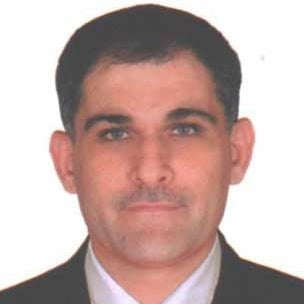
الخبرة: المدرب عبد الرحمن العلوش حاصل على بكالوريوس في الرياضيات و ماجستير في الاتصالات عن بعد، وقد عمل كمدرب في شبكات الكمبيوتر والبرمجة في معهد إفرست للكمبيوتر في مدينة بنجلور في الهند.
كما أنه حاصل على شهادات دولية في شبكات الكمبيوتر من شركتي مايكروسوفت و سيسكو، مما يعكس عمق خبرته الأكاديمية والمهنية في مجالات الشبكات والبنية التحتية التقنية.
من أبرز الشهادات التي يحملها: CCNA، CCNP، MCSA، وMCSE.
